Sharing & Export
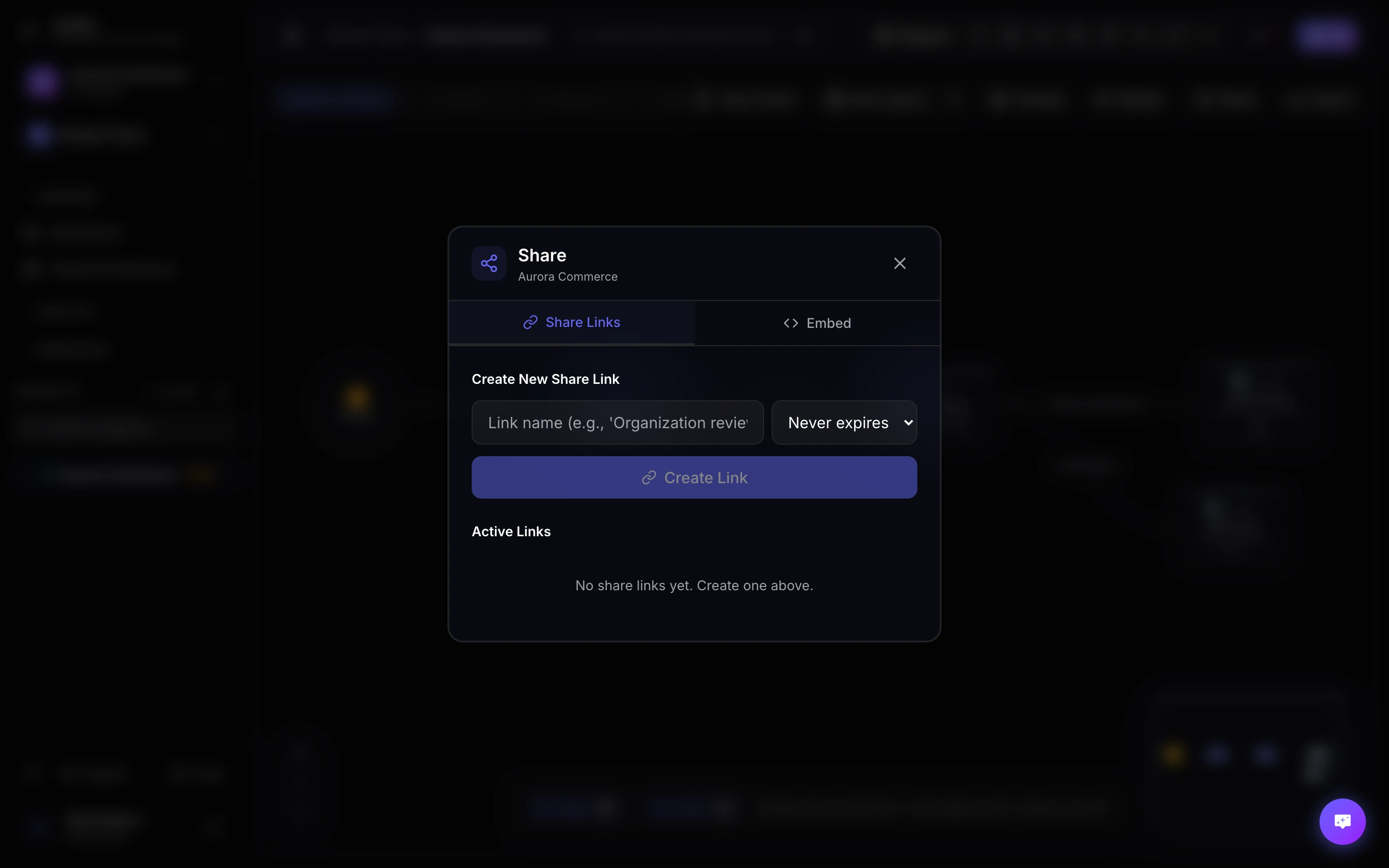
Archyl makes it easy to share your architecture documentation with stakeholders and integrate it into your existing documentation tools.
Public Share Links
Create shareable links for your architecture diagrams:
Creating a Share Link
- Open your project
- Navigate to the view you want to share
- Click the "Share" button in the toolbar
- Configure access options
- Copy the generated link
Share Link Options
| Option | Description |
|---|---|
| View Level | Which C4 level to show |
| Navigation | Allow zooming between levels |
| Expiration | When the link expires |
| Password | Optional password protection |
Link Expiration
Control how long links remain active:
- 1 hour: Quick review sessions
- 1 day: Daily standups
- 1 week: Sprint planning
- 1 month: Documentation
- Never: Permanent access
Embedding
Embed your diagrams in other platforms:
Confluence
- Create a share link
- In Confluence, add an iframe macro
- Paste the embed URL
<iframe
  src="https://app.archyl.com/public/abc123?embed=true"
  width="100%"
  height="600"
  frameborder="0">
</iframe>
Notion
- Create a share link
- In Notion, type /embed
- Paste the share URL
GitBook
Add to your GitBook documentation:
{% embed url="https://app.archyl.com/public/abc123" %}
Other Platforms
Any platform supporting iframes or oEmbed can display Archyl diagrams.
Export Formats
PNG
High-resolution images perfect for:
- Presentations
- Documents
- Email attachments
Export options:
- Resolution (1x, 2x, 4x)
- Background color
- Include title/legend
SVG
Vector graphics that scale infinitely:
- Technical documentation
- Print materials
- Websites
Multi-page documents with:
- Title page
- Diagram
- Element descriptions
- Relationship details
Export All Levels
Export your entire architecture in one go:
- Open export dialog
- Select "Export All Levels"
- Choose format
- Download ZIP containing all diagrams
Embedding Options
Responsive
Diagrams automatically resize:
<iframe
  src="https://app.archyl.com/public/abc123?embed=true"
  style="width: 100%; aspect-ratio: 16/9;"
  frameborder="0">
</iframe>
Fixed Size
Control exact dimensions:
<iframe
  src="https://app.archyl.com/public/abc123?embed=true"
  width="800"
  height="600"
  frameborder="0">
</iframe>
Interactive vs Static
- Interactive: Full navigation and zoom
- Static: Read-only image view
User Flows
Share user flows separately:
- Open a user flow
- Click "Share Flow"
- Generate a public flow URL
Flow share links include:
- Step-by-step visualization
- Element connections
- Annotations
Best Practices
For Presentations
- Export at 2x resolution
- Use PNG for compatibility
- Consider light background for projectors
For Documentation
- Use SVG for scalability
- Enable navigation for deep dives
- Set appropriate expiration
For Stakeholders
- Create permanent links for frequently accessed views
- Add password for sensitive information
- Track access with link analytics