User Flows
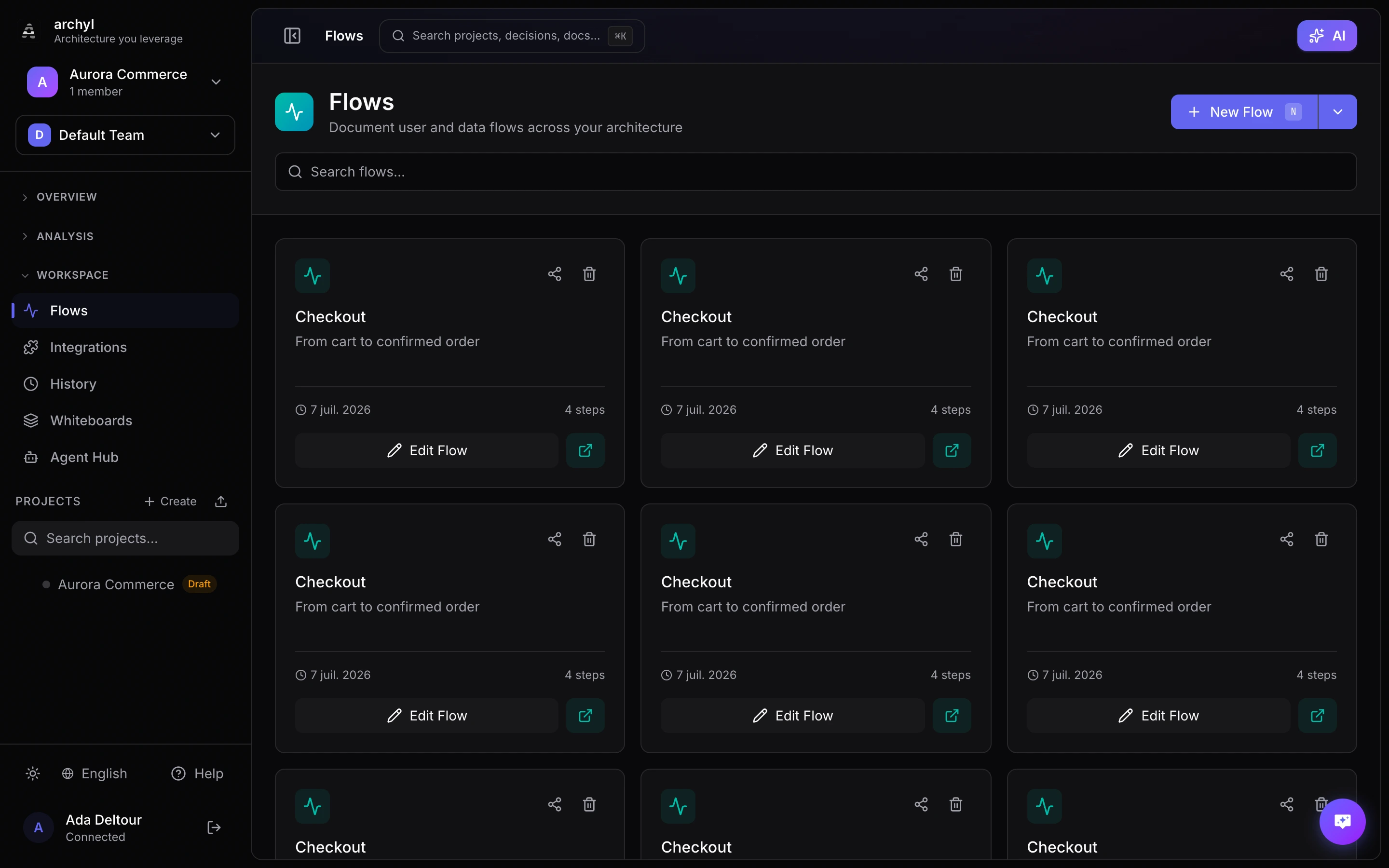
User Flows in Archyl let you document sequences of interactions across your architecture. Visualize how users, data, or requests move through your system.
What Are Flows?
A Flow represents a sequence of steps through your architecture:
- User journeys: Login, checkout, signup
- Data flows: Order processing, data sync
- System interactions: API calls, event chains
- Error handling: Failure scenarios, retries
Each step in a flow references relationships in your architecture, creating a connected view of how things work.
Creating a Flow
From the Flows Tab
- Go to the Flows tab in your project
- Click Create Flow
- Enter a name and description
- Add steps by selecting relationships
- Click Save
Flow Structure
Each flow contains:
| Field | Description |
|---|---|
| Name | Short, descriptive name (e.g., "User Login Flow") |
| Description | What this flow represents |
| Steps | Ordered list of relationship references |
Adding Steps
For each step:
- Select a relationship from your architecture
- The step shows source, target, and relationship label
- Drag to reorder steps
- Add notes for additional context
Generating Flows with AI
Archyl can write the flow for you. Describe the journey you want to document — the AI reads your organisation's projects, picks the ones involved, and produces the steps.
How It Works
The generator runs in two passes:
- Project shortlist — the AI scans every project in your organisation and selects up to 5 that match your prompt.
- Flow steps — the AI loads the merged C4 model of those projects (including cross-project relationships) and writes the ordered list of steps.
Every step is validated against the C4 model before persistence. Steps that reference non-existent elements or mismatched relationships are dropped automatically.
Generating a Flow
- Open Flows from the sidebar
- Click Generate with AI
- Describe the flow you want — the prompt is required
- Click Generate →
The result opens automatically. Flows that span more than one project are marked with a Cross-project badge in the list.
Requirements
- At least one project in your organisation needs a C4 model (run AI Discovery first)
- The prompt is required — it drives the project shortlist
- The feature is available on the Business plan
Tips for Good Prompts
The more specific your prompt, the tighter the result.
| Less specific | More specific |
|---|---|
| "login" | "the authentication journey" |
| "emails" | "how the order confirmation email gets sent after checkout" |
| "data" | "the data pipeline from ingestion to dashboard" |
Specificity reduces the number of projects selected and produces steps you can ship without editing.
Viewing Flows
Step-by-Step Navigation
When viewing a flow:
- Steps are shown in order
- Current step is highlighted on the diagram
- Navigate with Next/Previous buttons
- See the full context at each step
Animated Playback
Click Play to animate through the flow:
- Automatic step progression
- Highlighted path on diagram
- Adjustable playback speed
Sharing Flows
Public Flow Links
User Flows have built-in public sharing:
- Open a Flow
- Click the Share icon
- Copy the public URL
- Share with anyone
The public view includes:
- Step-by-step navigation
- Architecture visualization
- Flow description
- No authentication required
Embedding Flows
Embed flows in external tools:
- Confluence
- Notion
- Documentation sites
- Wikis
Best Practices
Name Flows Clearly
Use action-oriented names:
- "User Registration"
- "Order Checkout Process"
- "Payment Refund Flow"
- "Data Sync Pipeline"
Keep Flows Focused
- One flow per user journey
- 5-15 steps is ideal
- Break complex flows into sub-flows
- Reference other flows when needed
Add Context
Use descriptions to explain:
- Why this flow exists
- Who uses it
- When it's triggered
- What the expected outcome is
Link to Documentation
Reference related docs:
- API specifications
- Requirements documents
- ADRs explaining design choices
Example Flows
E-commerce Checkout
- User → Cart Service: "View cart"
- Cart Service → Inventory: "Check availability"
- User → Checkout Service: "Begin checkout"
- Checkout Service → Payment: "Process payment"
- Payment → Order Service: "Create order"
- Order Service → Notification: "Send confirmation"
API Authentication
- Client → API Gateway: "Request with credentials"
- API Gateway → Auth Service: "Validate token"
- Auth Service → User DB: "Lookup user"
- Auth Service → API Gateway: "Return claims"
- API Gateway → Backend: "Forward with user context"
Next Steps
- C4 Model Overview - Understand the architecture model
- Relationships - Create relationships for flows
- Sharing - Share flows publicly