AI-Powered Discovery
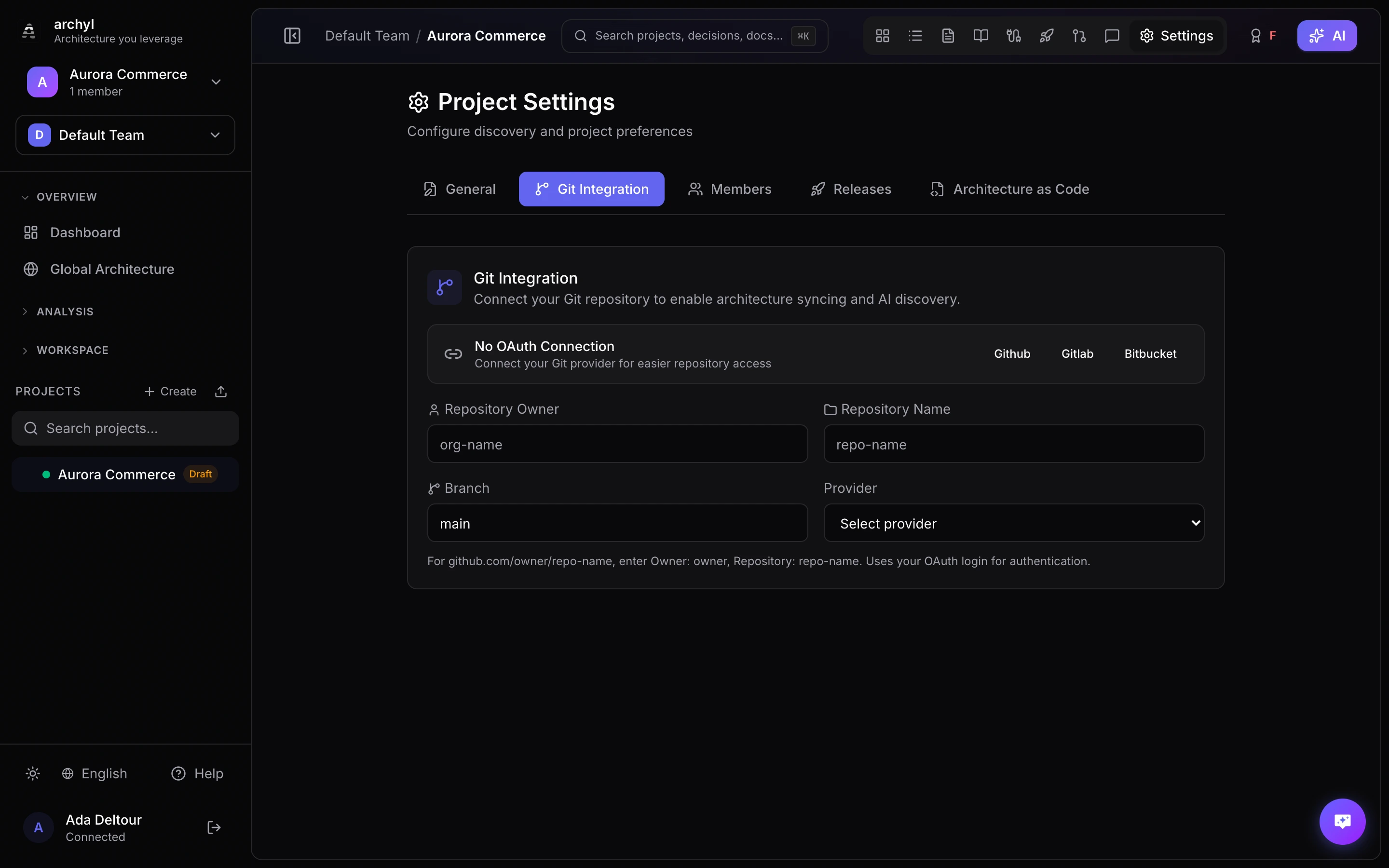
Archyl's AI Discovery feature analyzes your codebase to automatically discover and document your software architecture. This saves hours of manual documentation work and ensures your architecture documentation stays in sync with your actual code.
How It Works
1. Connect Your Repository
First, connect your Git repository to Archyl:
- Go to your project settings
- Click "Connect Repository"
- Choose your Git provider (GitHub, GitLab, Bitbucket, Azure DevOps, Gitea, or self-hosted instances)
- Authorize Archyl to access your repository
2. Start Discovery
Once connected, start the AI discovery:
- Click "Start Discovery" in your project
- Select which branch to analyze
- Click "Run Discovery"
3. AI Analysis
The AI analyzes your codebase in multiple phases:
- Structure Analysis — Identifies the system name, containers, and external dependencies
- Detailed Discovery — Analyzes source files in parallel chunks to find components, code elements, and relationships
- Relationship Refinement — Cross-references containers to find inter-service dependencies
- Parallel Post-Analysis — Discovers ADRs, documentation, API contracts, and package dependencies
Elements discovered include:
- Systems: Top-level software systems and external dependencies
- Containers: Services, APIs, databases, web applications, workers
- Components: Modules, packages, handlers, repositories, services
- Code Elements: Classes, interfaces, functions with file paths
- Relationships: How elements communicate (uses, calls, sends to, reads from)
4. Review & Approve
Discoveries are placed in a Pending state for review:
- Review each discovered element
- Edit names, descriptions, or relationships
- Approve accurate discoveries
- Reject or modify incorrect ones
For new projects (no existing C4 elements), discoveries are auto-approved to get you started quickly.
Incremental Discovery
Incremental discovery keeps your C4 model up to date by analyzing only the files that changed — not the entire repository. This is faster, cheaper, and can run automatically on every push.
How Incremental Discovery Works
- Code is pushed to the default branch
- Archyl receives the push event (via webhook or GitHub Action)
- Changed files are extracted from the push commits
- Only source files are analyzed (removed files are skipped)
- AI runs on the smaller file set
- New elements are created as pending discoveries for review
- Existing elements are automatically deduplicated — no duplicates
Enabling Incremental Discovery
There are two ways to enable incremental discovery:
Option A: GitHub Webhook (Zero Config)
- Go to your project's Webhook Config settings
- Enable Discovery on Push
- Copy the webhook URL and add it to your GitHub repository settings
- Select the
pushevent
Every push to the default branch will trigger incremental discovery automatically.
Option B: GitHub Action (CI/CD)
Add the Archyl Incremental Discovery action to your workflow. See GitHub Actions Integration for full setup instructions.
name: Architecture Sync
on:
  push:
    branches: [main]

jobs:
  discovery:
    runs-on: ubuntu-latest
    steps:
      - uses: actions/checkout@v4
        with:
          fetch-depth: 2
      - uses: archyl/archyl/.github/actions/incremental-discovery@main
        with:
          api-key: ${{ secrets.ARCHYL_API_KEY }}
          project-id: ${{ vars.ARCHYL_PROJECT_ID }}
Full vs. Incremental Discovery
| Full Discovery | Incremental Discovery | |
|---|---|---|
| Scope | Entire repository | Changed files only |
| Trigger | Manual (UI/API) | Automatic (push webhook or GitHub Action) |
| Speed | Minutes (depends on repo size) | Seconds to minutes |
| AI cost | Higher (analyzes all files) | Lower (analyzes diff only) |
| Use case | Initial setup, major refactors | Day-to-day code changes |
| Deduplication | Full dedup against existing model | Same dedup — no duplicates |
Combining Full + Incremental
The recommended workflow:
- Run full discovery when you first connect a repository
- Enable incremental discovery to keep the model fresh
- Re-run full discovery after major refactors or migrations
Incremental discovery creates pending elements just like full discovery — you always review before changes are applied to your C4 model.
Supported Technologies
AI Discovery works with 15+ languages and frameworks:
Languages
Go, TypeScript, JavaScript, Python, Java, Kotlin, Rust, C#, C/C++, Ruby, PHP, Swift, Scala
Build systems & package managers
npm, Go modules, pip/Poetry, Maven, Gradle, Cargo, Composer, RubyGems, NuGet, CMake (find_package, FetchContent, CPM), Conan, vcpkg
Frameworks
React, Next.js, Vue, Angular, Express, Fastify, NestJS, Django, Flask, FastAPI, Spring Boot, ASP.NET Core, Ruby on Rails, Gin, Fiber
Infrastructure
Docker, Kubernetes, Terraform, Helm, Ansible, GitHub Actions, AWS CDK, Pulumi
Monorepo Support
Archyl automatically detects monorepo structures:
- apps/, packages/, services/, libs/ directories
- Proportional file sampling across services
- Each service maps to a separate container in the C4 model
- Cross-service relationships are detected
Best Practices
Start Small
For large codebases:
- Start with a single service or module
- Review and refine the results
- Gradually expand to other areas
Regular Updates
Keep your documentation current:
- Enable incremental discovery for automatic updates
- Review pending discoveries regularly
- Run full discovery after major refactors
Combine with Manual
AI Discovery is a starting point:
- Use AI for the heavy lifting
- Add business context manually (descriptions, ADRs)
- Refine relationships and descriptions
REST API
POST   /api/v1/discovery/start                            # Start full discovery
GET    /api/v1/discovery/jobs/:jobId                       # Get job status
POST   /api/v1/projects/:id/discovery/incremental          # Trigger incremental discovery
Troubleshooting
Discovery Takes Too Long
- Reduce the number of files analyzed (adjust max files in config)
- Use incremental discovery for regular updates
- Focus on specific branches
Inaccurate Results
- Review and correct as you go — the pending system lets you approve/reject each element
- More structured code produces better results
- Add descriptions to approved elements to improve context for future discoveries
No Files Analyzed
- Check that your repository is connected and the branch exists
- Ensure source files have recognized extensions (.go, .ts, .py, .java, etc.)
- Verify the access token has read permissions on the repository