Webhook Notifications
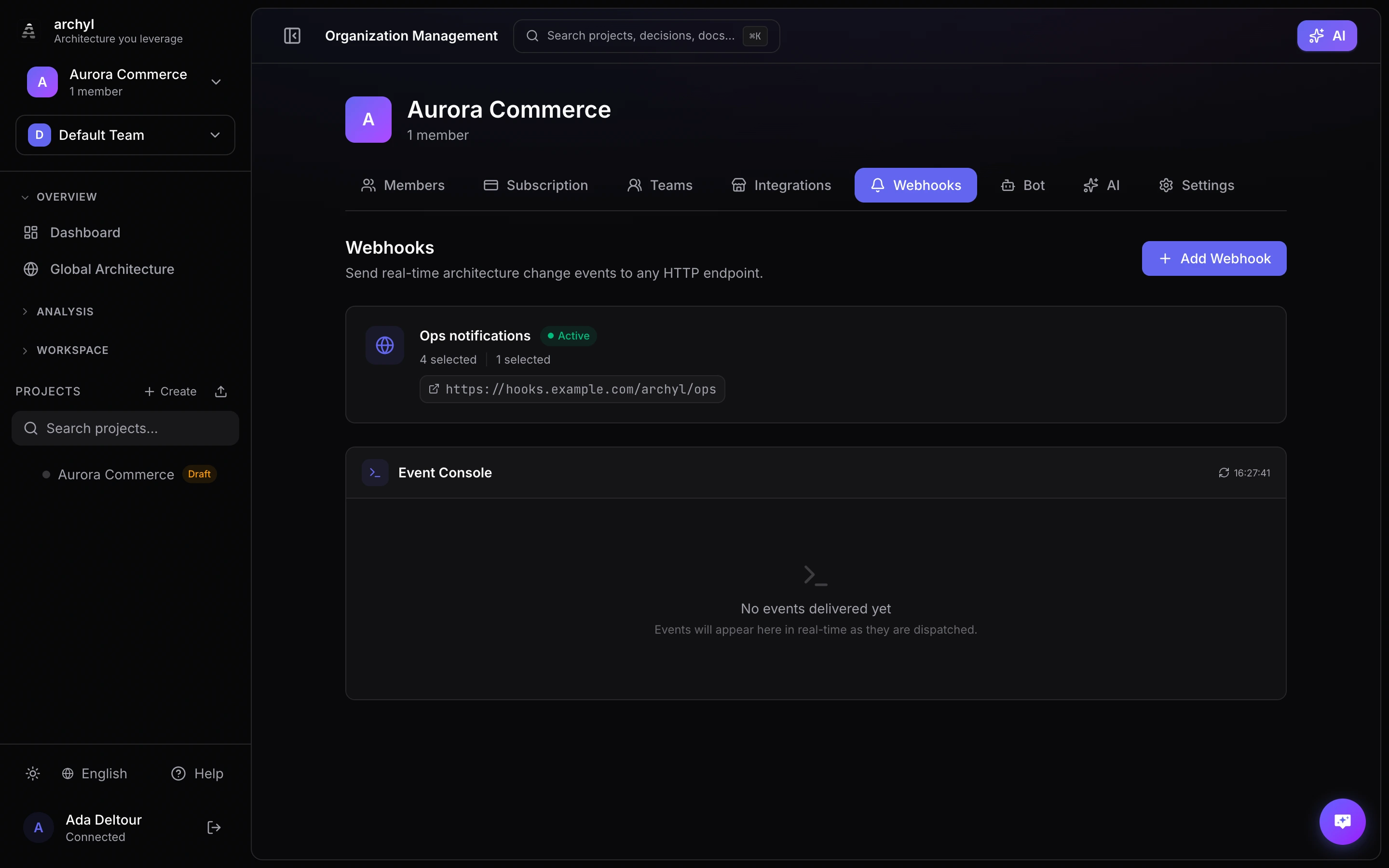
Webhooks let you receive real-time HTTP POST notifications whenever something changes in your Archyl workspace. Create a webhook, point it at your URL, pick the events you care about, and Archyl will notify your endpoint every time those events fire.
Overview
When an event occurs — a system is created, a release is deployed, an ADR is updated — Archyl sends an HTTP POST request to every webhook subscribed to that event. Your endpoint receives a JSON payload describing what happened, who did it, and which project it belongs to.
Typical use cases:
- Slack or Teams notifications when architecture changes are made
- CI/CD triggers when a new release is created
- Audit logging to an external system
- Custom dashboards that react to architecture events
- Automation pipelines that run when discoveries complete
Supported Events
Architecture Elements
| Category | Events |
|---|---|
| Systems | system.created, system.updated, system.deleted |
| Containers | container.created, container.updated, container.deleted |
| Components | component.created, component.updated, component.deleted |
| Code | code.created, code.updated, code.deleted |
| Relationships | relationship.created, relationship.updated, relationship.deleted |
| Overlays | overlay.created, overlay.updated, overlay.deleted |
Project Management
| Category | Events |
|---|---|
| Projects | project.created, project.updated, project.deleted |
| Releases | release.created, release.updated, release.deployed |
| Requests | request.created, request.merged, request.closed |
Documentation
| Category | Events |
|---|---|
| ADRs | adr.created, adr.updated, adr.deleted |
| Documentation | documentation.created, documentation.updated, documentation.deleted |
| Flows | flow.created, flow.updated, flow.deleted |
| API Contracts | api_contract.created, api_contract.updated |
Collaboration & Analysis
| Category | Events |
|---|---|
| Comments | comment.created |
| Whiteboards | whiteboard.created |
| Event Channels | event_channel.created |
| Discovery | discovery.completed |
| Insights | insight.generated |
Creating a Webhook
- Go to Organization Settings and select the Webhooks tab
- Click New Webhook
- Fill in the configuration:
| Field | Required | Description |
|---|---|---|
| Name | Yes | A descriptive label (e.g., "Slack — Architecture Changes") |
| URL | Yes | The HTTPS endpoint that will receive POST requests |
| Secret Token | No | A shared secret used to sign payloads for verification |
| Events | Yes | Select which events trigger this webhook |
| Projects | No | Optionally restrict to specific projects |
- Click Create
The webhook starts receiving events immediately.
Payload Format
Every webhook delivery sends a JSON payload with this structure:
{
  "event": "system.created",
  "timestamp": "2026-03-10T14:30:00Z",
  "data": {
    "entityType": "system",
    "entityName": "Payment Service",
    "action": "created",
    "userName": "vincent",
    "projectId": "a1b2c3d4-...",
    "projectName": "My Project"
  }
}
| Field | Description |
|---|---|
event |
The event type string (e.g., container.updated, release.deployed) |
timestamp |
ISO 8601 timestamp of when the event occurred |
data.entityType |
The type of entity that changed |
data.entityName |
The name of the affected entity |
data.action |
The action that was performed |
data.userName |
The user who triggered the event |
data.projectId |
UUID of the project where the event occurred |
data.projectName |
Human-readable project name |
The Content-Type header is always application/json.
Security
Request Headers
Every webhook delivery includes these headers:
| Header | Example | Description |
|---|---|---|
Content-Type |
application/json |
Always JSON |
User-Agent |
Archyl-Webhook/1.0 |
Identifies the request as coming from Archyl |
X-Archyl-Event |
system.created |
The event type that triggered this delivery |
X-Archyl-Signature |
sha256=a1b2c3... |
HMAC-SHA256 signature (only if a secret token is set) |
HMAC-SHA256 Signature Verification
If you set a secret token when creating the webhook, Archyl signs every payload using HMAC-SHA256. The signature is sent in the X-Archyl-Signature header with the format:
sha256=<hex-encoded HMAC-SHA256 digest>
To verify a delivery:
- Read the raw request body (the exact bytes, before any JSON parsing)
- Read the
X-Archyl-Signatureheader and strip thesha256=prefix to get the hex signature - Compute an HMAC-SHA256 hash of the raw body using your secret token as the key
- Hex-encode the result and compare it to the signature from step 2 using a constant-time comparison
- Reject the request if they don't match
Go example:
func verifyArchylWebhook(r *http.Request, secret string) ([]byte, error) {
    body, err := io.ReadAll(r.Body)
    if err != nil {
        return nil, err
    }

    header := r.Header.Get("X-Archyl-Signature")
    if !strings.HasPrefix(header, "sha256=") {
        return nil, fmt.Errorf("missing or invalid signature header")
    }
    signature := strings.TrimPrefix(header, "sha256=")

    mac := hmac.New(sha256.New, []byte(secret))
    mac.Write(body)
    expected := hex.EncodeToString(mac.Sum(nil))

    if !hmac.Equal([]byte(expected), []byte(signature)) {
        return nil, fmt.Errorf("signature mismatch")
    }
    return body, nil
}
Node.js example:
const crypto = require("crypto");

function verifyArchylWebhook(req, secret) {
  const header = req.headers["x-archyl-signature"] || "";
  if (!header.startsWith("sha256=")) {
    throw new Error("Missing or invalid signature header");
  }
  const signature = header.slice("sha256=".length);

  const body = req.rawBody; // use raw body, not parsed JSON
  const expected = crypto
    .createHmac("sha256", secret)
    .update(body)
    .digest("hex");

  if (!crypto.timingSafeEqual(Buffer.from(expected), Buffer.from(signature))) {
    throw new Error("Signature mismatch");
  }
  return JSON.parse(body);
}
Python example:
import hmac
import hashlib

def verify_archyl_webhook(body: bytes, header: str, secret: str) -> dict:
    if not header.startswith("sha256="):
        raise ValueError("Missing or invalid signature header")
    signature = header.removeprefix("sha256=")

    expected = hmac.new(
        secret.encode(), body, hashlib.sha256
    ).hexdigest()

    if not hmac.compare_digest(expected, signature):
        raise ValueError("Signature mismatch")
    return json.loads(body)
Always use constant-time comparison (hmac.Equal, crypto.timingSafeEqual, hmac.compare_digest) to prevent timing attacks. Always verify against the raw request body — parsing and re-serializing JSON may change the byte representation and break the signature.
Delivery History
Every webhook keeps a log of recent deliveries. To view it:
- Go to Organization Settings > Webhooks
- Click on the webhook name
- Open the Deliveries tab
Each delivery entry shows:
| Field | Description |
|---|---|
| Event | The event type that triggered the delivery |
| Status Code | The HTTP response code from your endpoint |
| Timestamp | When the delivery was sent |
| Duration | How long the request took |
| Request Payload | The full JSON body that was sent |
| Response Body | The response returned by your endpoint |
Deliveries are retained for 7 days. After that, they are automatically purged.
A green badge indicates a successful delivery (2xx response). Red indicates a failure (non-2xx or timeout).
Testing
Before relying on a webhook in production, verify it works:
- Open the webhook detail page
- Click Send Test
- Archyl sends a test payload to your endpoint with
event: "webhook.test" - Check the Deliveries tab to confirm receipt and inspect the response
The test delivery uses the same signing mechanism as real events, so you can validate your signature verification logic at the same time.
Retry Policy
When a delivery fails (non-2xx response or network timeout), Archyl retries automatically:
| Attempt | Delay |
|---|---|
| 1st retry | 1 minute |
| 2nd retry | 5 minutes |
| 3rd retry | 30 minutes |
After 3 failed retries, the delivery is marked as failed. You can manually re-trigger any failed delivery from the Deliveries tab by clicking Retry.
If a webhook consistently fails for 24 hours, Archyl disables it and sends a notification to the organization admins. Re-enable it from the webhook settings once the issue is resolved.
Filtering by Projects
By default, a webhook receives events from all projects in the organization. To narrow the scope:
- Edit the webhook
- Under Projects, select one or more projects
- Save
Only events originating from the selected projects will trigger deliveries. This is useful when different teams manage different projects and only need notifications for their own work.
You can update the project filter at any time without recreating the webhook.
Best Practices
Respond Quickly
Your endpoint should return a 2xx response within 10 seconds. If you need to do heavy processing, accept the webhook immediately and handle the work asynchronously in a background job.
Verify Signatures
Always set a secret token and verify the X-Archyl-Signature header. This ensures payloads genuinely come from Archyl and haven't been tampered with.
Use HTTPS
Always use an HTTPS endpoint. Archyl will not deliver webhooks to plain HTTP URLs.
Filter by Project
If your organization has many projects, scope webhooks to the projects you care about. This reduces noise and avoids unnecessary processing on your end.
Handle Duplicates
In rare cases (network retries, infrastructure failover), your endpoint may receive the same event more than once. Use the timestamp and event fields to detect and deduplicate.
Monitor Delivery Health
Check the Deliveries tab periodically. A pattern of failures may indicate endpoint issues, firewall rules, or expired credentials on your side.
Next Steps
- Marketplace Integrations — Connect external services and display live data on your dashboards
- Release Management — Track deployments across your architecture
- Architecture Insights — Detect architectural issues automatically