Architecture as Code
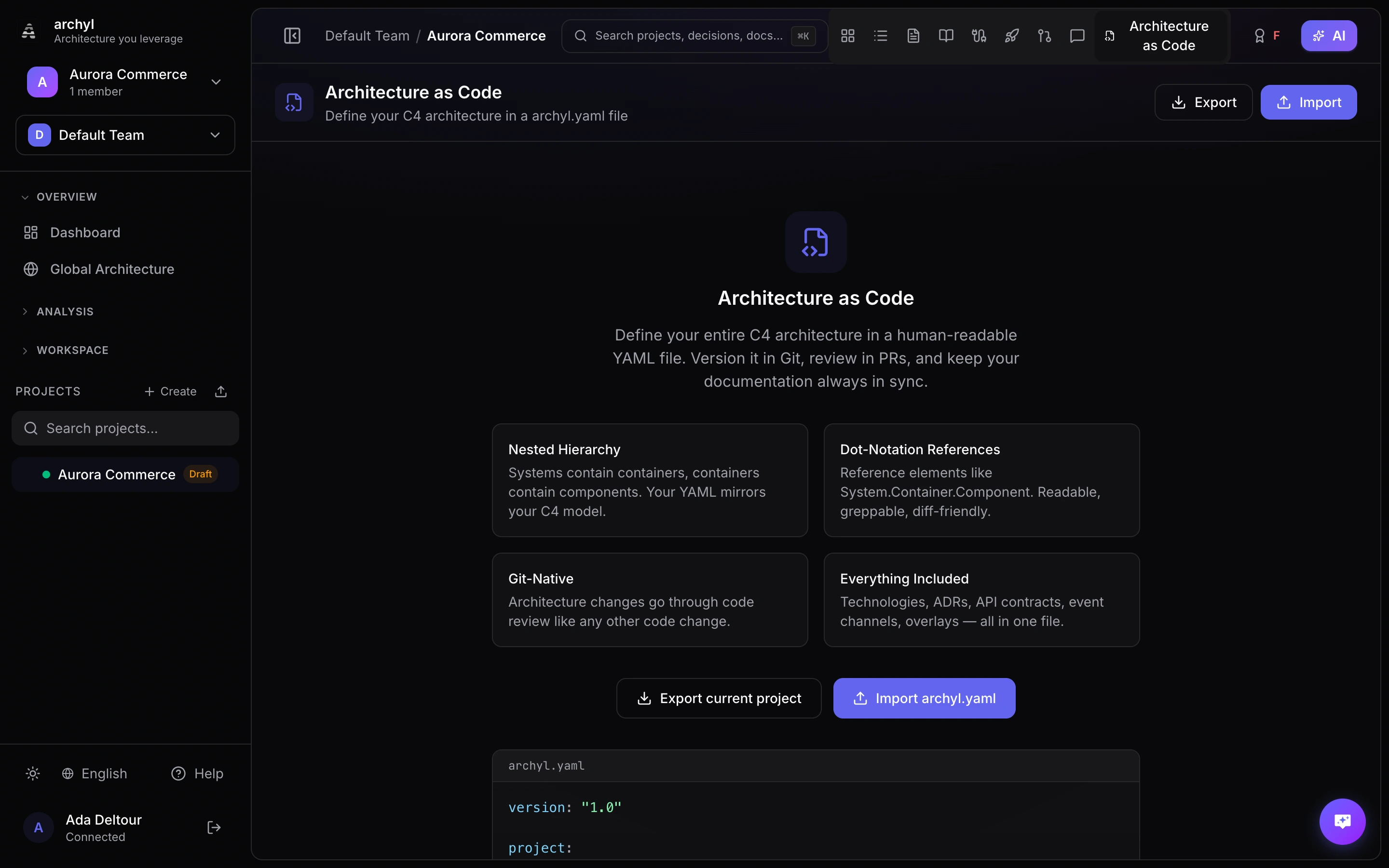
Archyl lets you define your entire C4 architecture in a single YAML file — archyl.yaml. Check it into your repository, edit it alongside your code, and let CI/CD keep your diagrams in sync automatically.
Overview
The archyl.yaml file is a declarative description of your architecture. It supports:
- All four C4 levels (systems, containers, components, code)
- Relationships between any elements
- Technologies, environments, and releases
- ADRs, documentation, API contracts, and event channels
- Visual overlays for diagram grouping
- Monorepo support via
include
You can author it by hand, export it from an existing project, or combine both workflows.
File Format
Archyl looks for the DSL file at the repository root, trying these names in order:
archyl.yaml.archyl.yamlarchyl.yml.archyl.yml
Schema Reference
Root Structure
version: "1.0"

project:
  name: My Platform
  description: E-commerce platform serving 10M users
  tags: [e-commerce, saas]

technologies: [...]
environments: [...]
systems: [...]
relationships: [...]
overlays: [...]
events: [...]
api_contracts: [...]
adrs:
  folder: docs/adrs
  records: [...]
docs:
  folder: docs
  records: [...]
releases: [...]
include: [...]
Only version is required. Every other section is optional — include only what you need.
Systems (C4 Level 1)
Systems are the top-level elements in the C4 model.
systems:
  - name: Payment Service
    description: Handles all payment processing
    type: software_system   # person | software_system | external_system
    external: false
    tags: [payments, critical]
    technologies: [Go, PostgreSQL]
    owners:
      teams: [backend-team]
      users: [vincent]
    containers: [...]
| Field | Required | Description |
|---|---|---|
name |
Yes | Unique system name |
description |
No | What this system does |
type |
No | person, software_system, or external_system |
external |
No | Whether this is an external system |
tags |
No | Categorization tags |
technologies |
No | Technologies used (references technology catalog) |
owners |
No | Team and user owners |
containers |
No | Nested containers (C4 Level 2) |
Containers (C4 Level 2)
Containers are nested inside their parent system.
systems:
  - name: Payment Service
    containers:
      - name: API Gateway
        description: REST API for payment operations
        type: api
        tags: [rest, public]
        technologies: [Go, Fiber]
        owners:
          teams: [backend-team]
        components: [...]
Available container types: web_app, mobile_app, desktop_app, api, database, file_storage, message_queue, cache, service, function, worker, consumer, infrastructure, gateway, library.
When using include for monorepo files, use parent_system to specify which system this container belongs to:
# In services/payments/archyl.yaml
containers:
  - name: Payments API
    parent_system: Payment Service
    type: api
Components (C4 Level 3)
Components are nested inside their parent container.
containers:
  - name: API Gateway
    components:
      - name: PaymentHandler
        description: HTTP handler for payment endpoints
        type: handler
        file: internal/handler/payment.go
        tags: [http]
        technologies: [Go]
        code: [...]
Available component types: controller, service, repository, handler, middleware, model, util, config, adapter, port, resource, module, job, bundle, plugin, workflow, activity, entity.
Code Elements (C4 Level 4)
Code elements are nested inside their parent component.
components:
  - name: PaymentHandler
    code:
      - name: ProcessPayment
        description: Handles payment processing requests
        type: function
        language: go
        file: internal/handler/payment.go
        line_start: 42
        line_end: 87
        visibility: public
        signature: "func (h *PaymentHandler) ProcessPayment(c *fiber.Ctx) error"
        methods:
          - name: validate
            signature: "func validate(req PaymentRequest) error"
            return_type: error
            visibility: private
        properties:
          - name: maxRetries
            type: int
            visibility: private
            readonly: true
Available code element types: class, interface, struct, function, method, enum, constant, type.
Relationships
Relationships connect any two elements using dot-notation for nested references.
relationships:
  - from: Payment Service.API Gateway
    to: Payment Service.Database
    label: Reads/writes payment data
    type: uses
    technologies: [SQL, PostgreSQL]
    tags: [data-access]
    style:
      color: "#6366f1"
      width: 2
      style: solid       # solid | dashed | dotted
      animated: false
Dot-notation format: System.Container.Component.CodeElement. Use only as many levels as needed — Payment Service references the system, Payment Service.API Gateway references a container.
Available relationship types: uses, depends_on, calls, reads_from, writes_to, sends_to, receives_from, implements, extends, contains, deployed_on, provisions, publishes_to, consumes_from.
Technologies
Define a catalog of technologies used across your architecture.
technologies:
  - name: Go
    description: Primary backend language
    category: programming_language
    icon: go
  - name: PostgreSQL
    description: Main relational database
    category: database
    icon: postgresql
Available categories: programming_language, framework, database, message_broker, object_storage, transport_protocol, cloud_service, devops_tool, library, runtime, cache, other.
Environments
Define deployment environments for your releases.
environments:
  - name: Production
    color: "#22c55e"
  - name: Staging
    color: "#f59e0b"
  - name: Development
    color: "#6366f1"
Releases
Track versioned deployments across environments and elements.
releases:
  - version: "2.4.0"
    status: deployed          # planned | in_progress | deployed | rolled_back | failed
    changelog: "Added payment retry logic and improved error handling"
    environment: Production
    container: Payment Service.API Gateway
    released_at: "2026-03-10T14:00:00Z"
    source: github_action
    source_url: "https://github.com/org/repo/actions/runs/12345"
Event Channels
Define asynchronous messaging between services.
events:
  - name: PaymentCompleted
    description: Fired when a payment is successfully processed
    direction: produce         # produce | consume
    broker: kafka              # kafka | nats | sqs | rabbitmq | redis | pulsar | custom
    topic: payments.completed
    schema_format: json_schema # json_schema | avro | protobuf | text
    schema: |
      { "type": "object", "properties": { "paymentId": { "type": "string" } } }
    links:
      - Payment Service.API Gateway
API Contracts
Attach API specifications to your architecture.
api_contracts:
  - name: Payment API
    description: REST API for payment operations
    type: http                 # http | grpc | graphql | async
    version: "2.0"
    endpoint: /api/v2/payments
    file: docs/openapi.yaml    # path to spec file in repo
    links:
      - Payment Service.API Gateway
You can use file to reference a spec file in the repository, or content to inline the spec directly.
Architecture Decision Records (ADRs)
adrs:
  folder: docs/adrs            # optional: path to ADR folder in repo
  records:
    - title: Use event-driven architecture for payments
      number: 7
      status: accepted         # proposed | accepted | deprecated | superseded
      date: "2026-02-15"
      context: We need to decouple payment processing from order management
      decision: Use Kafka events for async communication between services
      consequences: Added complexity but improved resilience and scalability
      tags: [architecture, messaging]
      links:
        - Payment Service
Documentation
docs:
  folder: docs                 # optional: path to docs folder in repo
  records:
    - title: Payment Processing Guide
      file: docs/payments.md   # path to markdown file in repo
      tags: [payments, guide]
      links:
        - Payment Service.API Gateway
You can use file to reference a markdown file in the repository, or content to inline the content directly.
Overlays
Visual groupings that appear on the diagram.
overlays:
  - name: Payment Domain
    description: All payment-related services
    color: "#6366f1"
    level: 2                   # C4 level (1=system, 2=container, 3=component, 4=code)
    elements:
      - Payment Service.API Gateway
      - Payment Service.Database
      - Payment Service.Worker
Include (Monorepo Support)
For monorepos, split your architecture across multiple files and merge them:
include:
  - services/payments/archyl.yaml
  - services/orders/archyl.yaml
  - services/users/archyl.yaml
Each included file follows the same schema. Use parent_system on containers to specify which system they belong to when defined in a separate file.
Complete Example
version: "1.0"

project:
  name: E-Commerce Platform
  description: Online marketplace with payment processing
  tags: [e-commerce, saas, marketplace]

technologies:
  - name: Go
    category: programming_language
  - name: React
    category: framework
  - name: PostgreSQL
    category: database
  - name: Kafka
    category: message_broker
  - name: Redis
    category: cache

environments:
  - name: Production
    color: "#22c55e"
  - name: Staging
    color: "#f59e0b"

systems:
  - name: Storefront
    description: Customer-facing web application
    type: software_system
    technologies: [React]
    containers:
      - name: Web App
        type: web_app
        technologies: [React]
      - name: BFF
        description: Backend for frontend
        type: api
        technologies: [Go]

  - name: Payment Service
    description: Handles payment processing
    type: software_system
    technologies: [Go, PostgreSQL]
    containers:
      - name: API
        type: api
        technologies: [Go]
        components:
          - name: PaymentHandler
            type: handler
          - name: PaymentService
            type: service
          - name: PaymentRepository
            type: repository
      - name: Database
        type: database
        technologies: [PostgreSQL]
      - name: Worker
        type: worker
        technologies: [Go]

  - name: Stripe
    description: Third-party payment processor
    type: external_system
    external: true

relationships:
  - from: Storefront.Web App
    to: Storefront.BFF
    label: API calls
    type: uses
    technologies: [HTTPS]
  - from: Storefront.BFF
    to: Payment Service.API
    label: Process payments
    type: calls
    technologies: [gRPC]
  - from: Payment Service.API
    to: Payment Service.Database
    label: Reads/writes payment data
    type: uses
    technologies: [SQL]
  - from: Payment Service.API
    to: Stripe
    label: Process charges
    type: calls
    technologies: [HTTPS]
  - from: Payment Service.Worker
    to: Payment Service.Database
    label: Polls for pending payments
    type: reads_from

events:
  - name: PaymentCompleted
    broker: kafka
    topic: payments.completed
    direction: produce
    links:
      - Payment Service.API

overlays:
  - name: Payment Domain
    level: 2
    color: "#6366f1"
    elements:
      - Payment Service.API
      - Payment Service.Database
      - Payment Service.Worker

releases:
  - version: "1.2.0"
    status: deployed
    environment: Production
    container: Payment Service.API
    changelog: Added retry logic for failed charges
    released_at: "2026-03-01T10:00:00Z"
Syncing from a Repository
If your repository contains an archyl.yaml, you can sync it directly from the Archyl UI:
- Go to Project Settings > Architecture as Code
- Click Sync Now
Archyl fetches the file from your repository's default branch (or the branch configured in DSL settings) and imports it. Elements that already exist are updated; new elements are created.
CI/CD Integration
GitHub Action (Official)
The official archyl-com/actions/sync GitHub Action is the easiest way to keep your architecture in sync. It reads your archyl.yaml, pushes it to the Archyl API, and reports what was created or updated.
Minimal setup:
name: Sync Architecture
on:
  push:
    branches: [main]
    paths: ['archyl.yaml']
jobs:
  sync:
    runs-on: ubuntu-latest
    steps:
      - uses: actions/checkout@v4
      - uses: archyl-com/actions/sync@v1
        with:
          api-key: ${{ secrets.ARCHYL_API_KEY }}
          project-id: 'your-project-uuid'
With summary output:
- uses: archyl-com/actions/sync@v1
  id: sync
  with:
    api-key: ${{ secrets.ARCHYL_API_KEY }}
    project-id: 'your-project-uuid'
- run: echo "${{ steps.sync.outputs.summary }}"
Custom file path (monorepo):
- uses: archyl-com/actions/sync@v1
  with:
    api-key: ${{ secrets.ARCHYL_API_KEY }}
    project-id: 'your-project-uuid'
    file: 'services/payments/archyl.yaml'
Self-hosted Archyl:
- uses: archyl-com/actions/sync@v1
  with:
    api-url: 'https://archyl.your-company.com'
    api-key: ${{ secrets.ARCHYL_API_KEY }}
    project-id: 'your-project-uuid'
Action Inputs
| Input | Required | Default | Description |
|---|---|---|---|
api-key |
Yes | Archyl API key with write scope | |
project-id |
Yes | Archyl project UUID | |
api-url |
No | https://api.archyl.com |
API base URL (for self-hosted) |
file |
No | archyl.yaml |
Path to the YAML file relative to repo root |
Action Outputs
| Output | Description |
|---|---|
systems-created |
Number of systems created |
containers-created |
Number of containers created |
components-created |
Number of components created |
relationships-created |
Number of relationships created |
summary |
Human-readable summary of the sync result |
GitLab CI/CD
sync-architecture:
  stage: deploy
  only:
    changes: [archyl.yaml]
  script:
    - |
      curl -sf -X POST https://your-instance.com/api/v1/projects/${PROJECT_ID}/dsl/ingest \
        -H "X-API-Key: ${ARCHYL_API_KEY}" \
        -H "Content-Type: application/json" \
        -d "{\"content\": $(cat archyl.yaml | jq -Rs .)}"
REST API
You can push DSL content from any CI/CD system or script:
curl -X POST https://your-instance.com/api/v1/projects/{projectId}/dsl/ingest \
  -H "X-API-Key: your-api-key" \
  -H "Content-Type: application/json" \
  -d "{\"content\": $(cat archyl.yaml | jq -Rs .)}"
The ingest endpoint returns a summary of what was created:
{
  "source": "api",
  "import": {
    "systemsCreated": 2,
    "containersCreated": 5,
    "componentsCreated": 12,
    "codeElementsCreated": 0,
    "relationshipsCreated": 8,
    "overlaysCreated": 1,
    "technologiesCreated": 4,
    "adrsCreated": 0,
    "docsCreated": 0,
    "eventsCreated": 1,
    "apiContractsCreated": 0,
    "environmentsCreated": 2,
    "releasesCreated": 1
  }
}
Exporting to YAML
You can export any existing project as an archyl.yaml file:
- Open your project
- Click Export in the toolbar
- Select YAML (Architecture as Code)
This generates a complete archyl.yaml that you can check into your repository. It's a great way to bootstrap the file from an existing project or from an AI-discovered architecture.
You can also export via the API:
curl -H "X-API-Key: your-api-key" \
  https://your-instance.com/api/v1/projects/{projectId}/dsl/export \
  -o archyl.yaml
JSON Schema for IDE Support
Archyl provides a JSON Schema for archyl.yaml files so your editor can offer autocomplete and validation. The schema is available at:
https://your-instance.com/api/v1/dsl/schema
VS Code
Add this to your archyl.yaml to enable schema validation:
# yaml-language-server: $schema=https://your-instance.com/api/v1/dsl/schema
version: "1.0"
Or configure it globally in VS Code settings:
{
  "yaml.schemas": {
    "https://your-instance.com/api/v1/dsl/schema": ["archyl.yaml", ".archyl.yaml"]
  }
}
Image & PDF Export
Archyl also supports exporting your diagrams as images for presentations and documents.
Available Formats
| Format | Best For |
|---|---|
| PNG | Presentations, documents, chat sharing |
| SVG | Design tools, web embedding, printing |
| Formal documentation, archival |
How to Export
- Navigate to the C4 level you want to export
- Click Export in the toolbar
- Select your format (PNG, SVG, or PDF)
- Configure options (background, quality, viewport)
- Click Export
Check Export all levels to generate separate files for each C4 level.
Export Options
- Background: Include dark canvas background or use transparent
- Quality (PNG only): Standard, High, or Print resolution
- Viewport: Fit content, include padding, or export current view
Importing Projects
You can create a new project by importing from multiple formats. Archyl supports five import sources:
| Format | File Type | Source Tool |
|---|---|---|
| Archyl YAML | .yaml / .yml |
Archyl's native format |
| Structurizr DSL | .dsl |
Structurizr |
| LikeC4 | .c4 / .likec4 |
LikeC4 |
| IcePanel JSON | .json |
IcePanel |
| Backstage JSON | .json |
Backstage |
How to Import
- From your project list, click Import Project
- Select the source format tab (Archyl YAML, Structurizr DSL, LikeC4, IcePanel, or Backstage)
- Upload the file or paste its content
- Click Validate to preview what will be created
- Click Create Project
The entire process takes under a minute. All systems, containers, components, relationships, technologies, and tags are imported automatically.
Project Name and Description
Creating a project needs a name, and every format carries it in a different place. A missing name is the most common cause of a rejected import.
| Format | Project name | Project description |
|---|---|---|
| Archyl YAML | project.name — required |
project.description |
| Structurizr DSL | The workspace name — required | The workspace description |
| LikeC4 | First top-level element, else Imported LikeC4 Project |
Not available |
| IcePanel JSON | The domain object, else Imported IcePanel Project |
Not available |
| Backstage JSON | Always Imported Backstage Catalog |
Not available |
Only Archyl YAML and Structurizr DSL can fail this check. The other formats always fall back to a generated name that you can change after import.
For Structurizr, the name and description are the two optional strings on the workspace header:
workspace "My Platform" "Microservices architecture" {
    model {
        user = person "User"
        platform = softwareSystem "My Platform" {
            api = container "API" "REST API" "Go"
        }
        user -> api "Uses"
    }
}
A bare workspace { ... } parses correctly but cannot create a project — Archyl rejects it and asks you to name the workspace. Importing into an existing project has no such requirement: the workspace name is ignored there, because the project already has one.
Structurizr DSL Import
Archyl parses Structurizr's .dsl workspace files and extracts the full C4 model:
person,softwareSystem,container,componentelements- All
->relationships with descriptions and technologies - External system detection from tags
- Technology extraction from positional arguments
- Groups mapped to tags
Views, styles, themes, and deployment nodes are skipped (Archyl has its own visual layer).
The workspace name and description become the project name and description — see the Project Name and Description section above. A workspace with no name can be imported into an existing project, but cannot create one.
Multi-file workspaces (!include)
A workspace split across files — !include systems/payments.dsl and friends — cannot be imported as a single file, because the included files are not there to resolve. Upload the whole workspace as a .zip instead, on the Structurizr DSL tab: the archive's files are unpacked and every !include is resolved against them.
- The entry point is
workspace.dslwhen the archive has one, otherwise the shallowest.dslfile. Archyl reports which file it used. - Paths resolve relative to the file doing the including, so nested includes work.
- Including a directory pulls in every
.dsldirectly inside it, in name order. - Include cycles are broken and reported rather than failing the import.
- Remote targets (
!include https://…) are refused, and paths escaping the archive are skipped.
Anything that cannot be resolved becomes a warning on the import result — the rest of the workspace still imports.
Archive limits:
| Limit | Value |
|---|---|
| Archive size | 10 MiB |
| Files in the archive | 500 |
| Total unpacked size | 50 MiB |
| Size of one file | 5 MiB (a larger file is skipped with a warning) |
| Include nesting | 10 levels |
Only .dsl, .md, .json, .yaml, .yml and .txt files are kept; everything else in the archive is ignored.
Through the API, send the archive as multipart form data in a file field, with an optional entry field naming the entry point: POST /api/v1/dsl/validate-archive checks it, POST /api/v1/projects/{id}/dsl/import-archive imports it into a project, and POST /api/v1/dsl/import-project-archive creates a project from it. The import_dsl MCP tool and repository sync read a single file and do not resolve !include.
LikeC4 Import
Archyl is the first tool to import LikeC4 files. The importer handles LikeC4's unique features:
- Custom element kinds from
specificationblocks mapped to C4 levels - Nested element hierarchies resolved to systems, containers, and components
technology:anddescription:properties (with or without colon syntax)#hashtagtags converted to standard tags#externaltag detection for boundary classification- Multiple
modelblocks merged automatically - Single-quoted and triple-quoted strings supported
IcePanel JSON Import
IcePanel's JSON export format is fully supported:
system,actor,app,store,componentobject types mapped to C4 elementsexternal: truefield for external system classificationmodelConnectionsmapped to relationshipstagIdsresolved to tag names from thetagsarraydomainobjects used as project name
Backstage Import
Archyl imports the Software Catalog JSON returned by Backstage's /api/catalog/entities endpoint:
Systementities mapped to Archyl Systems (collisions across namespaces are auto-disambiguated)ComponentandResourceentities folded into Containers under their owning System (viaspec.systemorpartOfrelation)- Components/Resources without a System parent grouped under a synthetic Uncategorized system
Resourcetypes mapped to Archyl container types:s3-bucket→file_storage;rds-instance,dynamo-db-table,valkey-cluster,opensearch-domain→database;kafka-topic,sqs-queue→message_queue;repository→library; everything else →infrastructureComponenttypes mapped:service→service,cronworkflow→worker,website→web_app,library→libraryAPIentities imported as API Contracts with the inlinespec.definition(OpenAPI / gRPC / GraphQL / AsyncAPI) preserved as content and linked to provider/consumer componentsdependsOn,consumesApi,producesTo,consumesFrom,versionedIn(and their inverses) translated to Archyl relationshipsmetadata.namespace,spec.lifecycle, andspec.typeexposed as tagsUserandGroupentities skipped — Backstage's people/team graph isn't a C4 concept
To export your catalog:
curl -H "Authorization: Bearer $BACKSTAGE_TOKEN" \
  https://backstage.your-company.com/api/catalog/entities \
  -o entities.json
Then drop entities.json into the Backstage tab of the import dialog. Resource lists from large catalogs can produce thousands of containers — review the result and delete what you don't need.
Import via MCP (AI Agents)
The same import capability is available through the import_dsl MCP tool:
Use the import_dsl tool with:
- projectId: your project UUID
- content: the DSL/JSON content
- format: "archyl", "structurizr", "likec4", "icepanel", or "backstage"
This lets AI coding agents (Claude Code, Cursor, Windsurf) programmatically import architecture files.
Import into Existing Projects
You can also import into an existing project (not just create new ones):
- Open your project
- Go to Architecture as Code
- Click Import
- Select the format and upload
Elements that already exist are updated; new elements are created.
Next Steps
- API Overview — Full API reference for DSL endpoints
- Sharing & Embedding — Share live diagrams
- Release Management — Track deployments in your YAML
- Webhook Notifications — Get notified when architecture changes