Documentation & ADRs
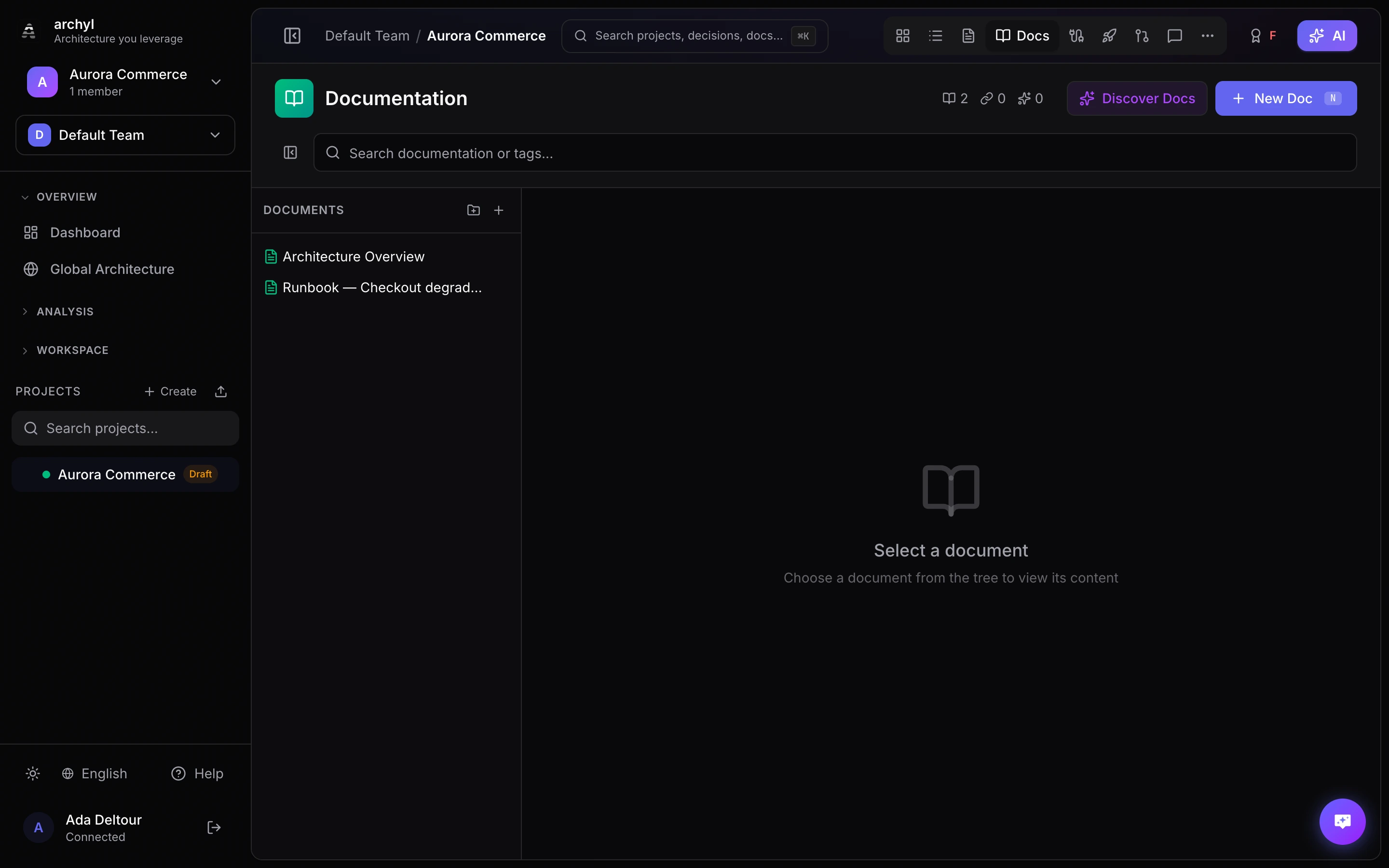
Archyl provides powerful documentation features that let you create rich, linked documentation alongside your architecture diagrams. Keep your architectural knowledge organized and connected.
Creating Documentation
Manual Documentation
To create documentation manually:
- Go to the Docs tab in your project
- Click New Doc
- Enter a title and write your content in Markdown
- Add tags for organization
- Click Save
Documentation supports full Markdown syntax including:
- Headings and formatting
- Code blocks with syntax highlighting
- Tables and lists
- Images and links
Attachments
Attach images and files directly to a page — drag & drop, paste, or use Attach in the editor. Images embed inline; other files appear in a downloadable Attachments panel at the top of the page. See Documentation Attachments for the full guide.
Importing from Git
You can import existing documentation from your Git repository:
- Go to Project Settings > Documentation Discovery
- Configure your repository connection
- Click Discover Docs
- Review and approve discovered documentation
This is perfect for importing existing README files, technical specs, or wiki content.
Linking to Architecture Elements
Documentation becomes more powerful when linked to your architecture:
Creating Links
- Open a documentation page
- Click Link to Element
- Search or browse for the architecture element
- Select the element(s) to link
- Click Done
Viewing Linked Documentation
When viewing an element in the diagram, linked documentation appears in the details panel. This provides instant context without leaving the diagram view.
Use Cases for Linking
- Link API documentation to Service containers
- Link setup guides to infrastructure components
- Link design specs to system contexts
- Link code comments to Code elements
Architecture Decision Records (ADRs)
ADRs document important architectural decisions with their context and consequences.
What is an ADR?
An Architecture Decision Record captures:
| Field | Description |
|---|---|
| Title | What was decided |
| Status | Proposed, Accepted, Deprecated, or Superseded |
| Context | Why this decision was needed |
| Decision | What was decided |
| Consequences | Impact of the decision |
Creating an ADR
- Go to the Decisions tab in your project
- Click New ADR
- Fill in the ADR fields
- Link to relevant architecture elements
- Click Save
ADR Workflow
ADRs follow a lifecycle:
- Proposed: Initial draft, under discussion
- Accepted: Decision has been made and approved
- Deprecated: No longer relevant but kept for history
- Superseded: Replaced by a newer decision
ADR Discovery
Like documentation, ADRs can be discovered from your repository:
- Go to Project Settings > ADR Discovery
- Configure the path to your ADRs (e.g.,
docs/adr/) - Click Discover ADRs
- Review and approve discovered records
Best Practices
Keep Documentation Current
- Update docs when architecture changes
- Review documentation during sprint retrospectives
- Use ADRs for significant decisions
Link Everything
- Every system should have a description doc
- Link ADRs to affected components
- Cross-reference related documentation
Use Tags Effectively
- Tag by domain (auth, payments, etc.)
- Tag by type (api, guide, spec)
- Tag by status (draft, review, final)
ADR Guidelines
- Create ADRs for significant decisions
- Include alternatives considered
- Document the trade-offs
- Link to implementation PRs when possible
Documentation Discovery Settings
Configure how documentation is discovered:
Path Patterns
Specify which paths to scan:
docs/
wiki/
README.md
*.md
Exclude Patterns
Skip certain files:
node_modules/
vendor/
CHANGELOG.md
Next Steps
- Documentation Attachments - Upload images and files to your pages
- AI-Powered Discovery - Automatically discover architecture
- Sharing & Embedding - Share documentation externally
- Export - Export documentation with diagrams