API Contracts
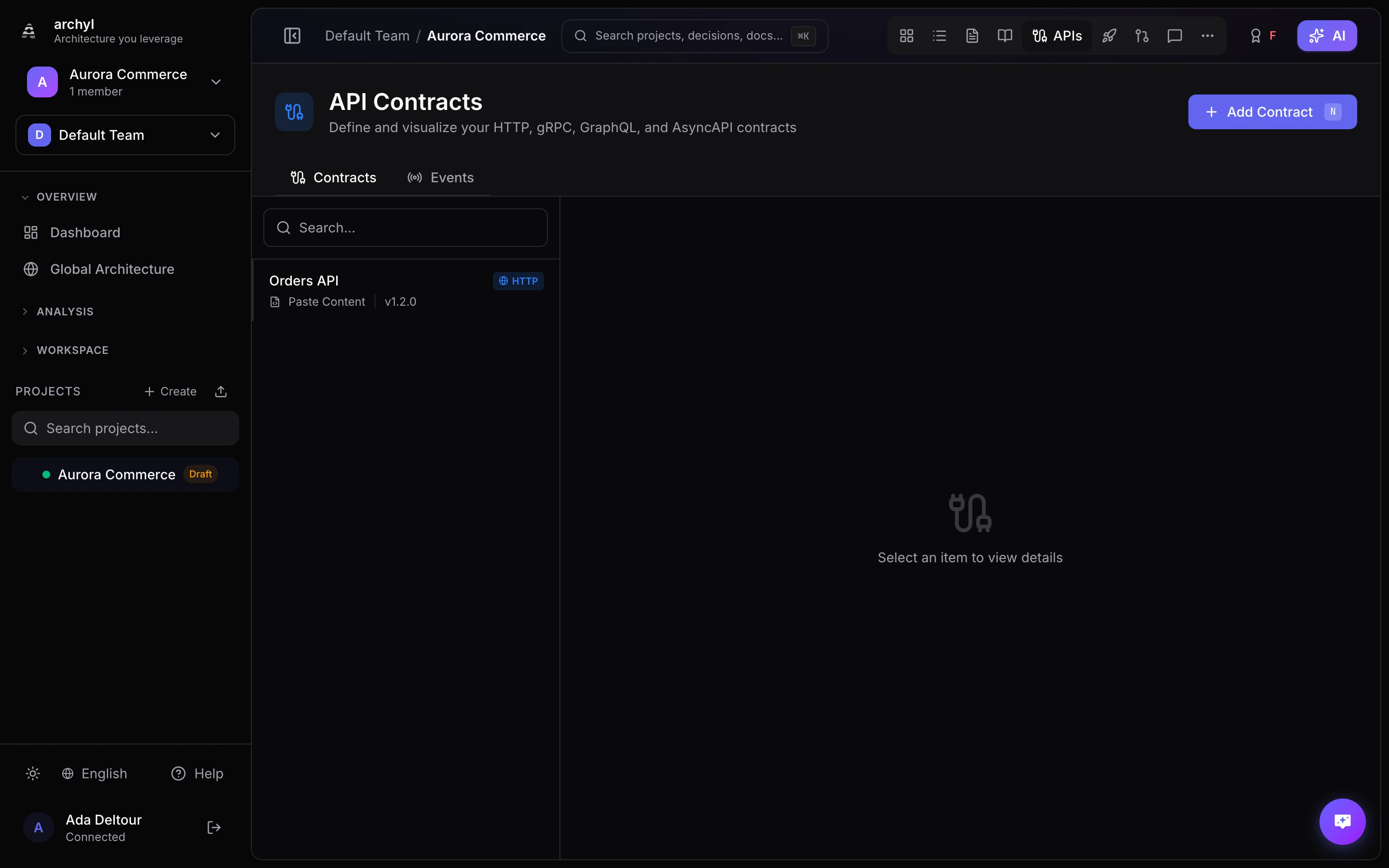
API Contracts let you attach API specifications to your architecture elements, keeping documentation and design in sync. Archyl supports OpenAPI (REST), gRPC, GraphQL, AsyncAPI, and MCP tool contracts, with optional git synchronization or live discovery.
Supported Contract Types
| Type | Format | Use Case |
|---|---|---|
| HTTP (REST) | OpenAPI 3.x (YAML/JSON) | REST APIs, webhooks |
| gRPC | Protocol Buffers (.proto) | Service-to-service RPC |
| GraphQL | GraphQL SDL (.graphql) | Query APIs |
| Async | AsyncAPI (YAML/JSON) | Event-driven APIs, message queues |
| MCP | MCP tools/list (JSON) |
Tools exposed to AI agents |
Creating a Contract
Manual Entry
- Navigate to your project
- Open the API Contracts tab
- Click New Contract
- Fill in the contract details:
- Name — A descriptive name (e.g., "User Service API")
- Type — HTTP, gRPC, GraphQL, Async, or MCP
- Version — Semantic version (e.g.,
1.0.0) - Endpoint — Base URL of the API
- Description — What the API does
- Paste or write your specification content in the editor
- Click Create
Git Synchronization
Instead of maintaining contracts manually, you can sync them from a git repository:
- Click New Contract and select Git as the source type
- Choose a connected repository
- Specify the file path to the spec file (e.g.,
api/openapi.yaml) - Set the branch to track (defaults to the repository's default branch)
- Archyl pulls the spec content and keeps it in sync
You can also use glob patterns to match multiple files. For example, api/**/*.yaml will match all YAML files under the api/ directory.
Sync Behavior
- Specs are fetched from the repository when the contract is created
- Use the Sync button to manually pull the latest version
- The last sync timestamp is displayed on the contract card
MCP Servers
MCP (Model Context Protocol) servers expose tools to AI agents — each with a name, a description, and a JSON Schema for its inputs. That tool surface is a contract too: it defines what an agent is allowed to do. Archyl documents it as the MCP contract type.
Unlike the other types, an MCP server's tools usually aren't a file in a repo — the authoritative list only exists at runtime, via the tools/list call. So MCP contracts support two sources.
Paste the tool list
- Click New Contract and choose MCP
- Keep the source as Manual
- Paste the server's
tools/listJSON — an object of the form{ "tools": [ ... ] } - Click Create
Archyl validates the document and renders every tool.
Discover from a live endpoint
Let Archyl pull the tools directly from a running server:
- Click New Contract, choose MCP, and select Live endpoint as the source
- Enter the server URL and pick the transport (HTTP or SSE)
- If the server needs auth, choose where the token goes — a header (e.g.
X-API-Key) or a query parameter — and enter the token - Click Discover tools — Archyl connects, runs the handshake, and lists every tool and its parameters
- Review the discovered tools, then click Create
To refresh the tools later, edit the contract and run Discover tools again.
Discovery runs in your browser, not on Archyl's servers. Your token never leaves your browser — Archyl stores the discovered tools and the connection details (URL, transport, header/param name) but never the token itself. Because the call comes from your machine, it can also reach servers on
localhostor your private network.The one requirement: the MCP server must allow this site's origin (CORS) for your browser to read the response. For servers you control that's a small config change; otherwise, use the paste option above.
The MCP tool viewer
Each tool is shown with its name, description, and input parameters (derived from its JSON Schema), with the raw schema available per tool. Like the other contract types, the viewer is read-only and reflects the stored tool list.
Linking Contracts to Architecture
API contracts become meaningful when linked to the C4 elements they describe. A contract can be linked to systems, containers, components, or code elements.
Adding Links
- Open a contract's detail page
- Click Link to Element
- Select the C4 level (System, Container, Component, or Code)
- Choose the target element
- The link appears on both the contract and the element's detail panel
Viewing Linked Contracts
On the diagram, right-click any element to open its detail panel. Linked API contracts appear in the Contracts section with:
- Contract name and version
- Protocol type badge (HTTP, gRPC, GraphQL, Async, MCP)
- Link to the full specification
Server Entries
Each contract can define multiple server entries — useful for documenting different environments or regions.
| Field | Description |
|---|---|
| URL | The server base URL (e.g., https://api.example.com/v1) |
| Description | Environment or purpose (e.g., "Production", "Staging") |
The Specification Viewer
Archyl renders your API specifications with an interactive viewer:
- OpenAPI — Endpoints grouped by tag, with request/response schemas, parameters, and examples
- gRPC — Service definitions, RPC methods, and message types
- GraphQL — Types, queries, mutations, and subscriptions
- AsyncAPI — Channels, messages, and schemas
- MCP — Tools, each with its description and input parameters (from its JSON Schema)
The viewer is read-only and always reflects the current content of the contract.
Event Channels
Event channels document the asynchronous messaging side of your architecture — Kafka topics, SQS queues, RabbitMQ exchanges, and similar.
Creating an Event Channel
- Navigate to your project
- Open the Event Channels tab
- Click New Channel
- Configure the channel:
| Field | Description |
|---|---|
| Name | Channel name (e.g., "Order Created Events") |
| Direction | produce or consume |
| Broker Type | Kafka, NATS, SQS, RabbitMQ, Redis, Pulsar, or Custom |
| Topic Name | The actual topic or queue name |
| Schema Format | JSON Schema, Avro, Protobuf, or Text |
| Value Schema | The event payload schema definition |
Linking to Architecture
Event channels follow the same linking model as API contracts. Link a channel to the systems, containers, or components that produce or consume its events. This makes message flows visible directly on the architecture diagram.
Best Practices
Keep Specs Up to Date
- Use git sync for specs that live in your codebase
- Version your contracts following semantic versioning
- Update the contract when the API changes
Link Everything
- Every API-serving container should have at least one linked contract
- Link event channels to both producers and consumers
- Use links to make the diagram self-documenting
Organize by Service
- One contract per service or bounded context
- Use descriptive names that match your architecture naming
- Include the API version in the contract version field
Document Servers
- Add server entries for each environment
- Include both internal and external endpoints
- Keep URLs current as infrastructure changes
Next Steps
- Event Channels — Document async messaging
- Architecture Change Requests — Propose changes to your architecture
- Release Management — Track deployments across your systems