AI Flow Generator: Describe a Journey, Get a Cross-Project Flow
Real architecture flows rarely live inside a single project. A checkout journey starts in your storefront, hits your payment service, writes to your order service, fires an event your notification service consumes. Four services. Four projects in Archyl. One actual user journey.
Until now the AI Flow Generator made you pick one project up front. That worked for single-service flows. It didn't work for the ones that matter most.
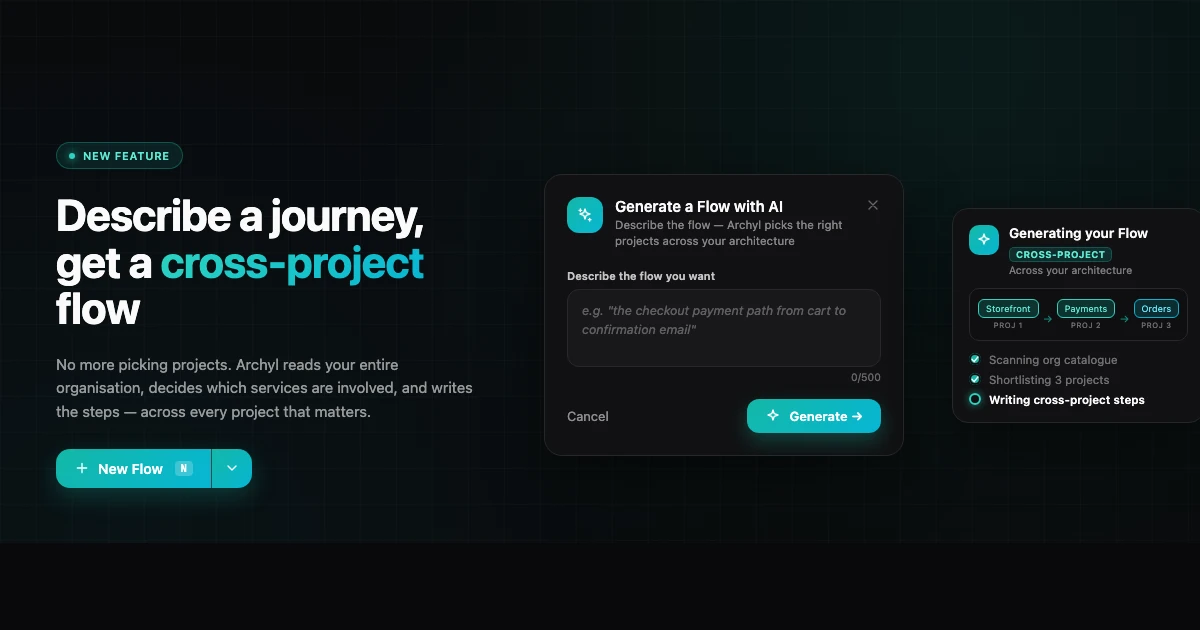
Starting today: describe the flow in plain English, click Generate. Archyl reads every project in your organisation, decides which ones are involved, and produces a complete step-by-step flow — even when those steps cross service boundaries.
What It Does
You get a text field. Write what you want to document:
"the checkout payment path from cart to confirmation email"
"how a user resets their password across the auth and email services"
"the data pipeline from ingestion to dashboard"
That's it. The AI scans the catalogue of projects in your organisation, identifies the ones involved, loads their C4 models (plus the cross-project relationships connecting them), and writes the steps with source, target, and a one-sentence description each.
Multi-project flows are marked with a Cross-project badge in the list, so you can spot them at a glance.
How It Works
When you click Generate, Archyl runs two AI passes in sequence:
Pass 1 — Pick the projects. The AI receives a lightweight catalogue of every project in your organisation: name, description, top-level systems. It returns the subset relevant to your prompt — usually 1 to 5 projects. For "the checkout payment path" in a 20-project org, you typically get back the 3 or 4 services that actually participate.
Pass 2 — Write the flow. The AI then receives the merged C4 model of just those projects: their systems, containers, components, and every relationship — including the cross-project edges connecting them. It returns the ordered list of steps, each one a valid (source, target, relationship) triple grounded in elements that actually exist.
Every step is validated against the C4 model before persistence. If the AI tries to hallucinate a relationship that doesn't exist, that step is dropped. You get a flow built from your real architecture, not a guess.
The whole sequence runs in under 10 seconds for most orgs.
Why a Prompt Is Now Required
The shortlist pass needs an intent to work against. Without a prompt, the AI has no signal for which projects to pick out of your organisation. So the prompt field is mandatory — the dialog won't let you submit without one.
The upside: the more specific your prompt, the tighter the shortlist and the more accurate the steps.
"the authentication journey" is better than "login".
"how the order confirmation email gets sent after checkout" is better than "emails".
Specificity gets you fewer projects, fewer steps, and a flow you can ship without editing.
What It Requires
At least one project in your organisation needs a C4 model. Run an AI Discovery on the projects you want included — that's the step that reads your codebases and produces the containers and relationships the Flow Generator reads from.
If no project in your org has C4 data, you'll get a clear error: no architecture, no flow. By design — the AI isn't guessing your architecture, it's reading the documentation you already built.
This feature is on the Business plan.
Editing What You Get
The generated flow is a normal Archyl flow. Once it's created, you can:
- Rename steps
- Add or remove steps
- Rewrite any description
- Reorder the sequence
- Share a public link
The AI gives you a first draft. You decide if it's close enough to ship or needs a pass. Most of the time, it's close.
Getting Started
- Open Flows in the sidebar
- Click Generate with AI
- Describe the journey you want — be specific
- Click Generate →
The result opens automatically when it's ready. If the flow spans multiple projects, you'll see the Cross-project badge on it in the Flows list.
If you're on the free plan, you'll see the Business plan gate. The AI Discovery feature gives you a sense of what the model can do with your codebases — Flow generation is the next step once your architecture is documented.
Read more: