Enterprise SSO: SAML and OIDC Authentication for Custom Plans
Every enterprise security team I've spoken with has the same non-negotiable requirement: employees must authenticate through the company's identity provider. No exceptions. No separate credentials floating around for every SaaS tool. One login, managed centrally, revocable instantly when someone leaves the company. The other thing they ask about is where the code goes, which is why you can bring your own AI provider.
We get it. If you're responsible for your organization's security posture, the last thing you want is yet another password for your team to manage—and for you to worry about. That's why we're launching custom SSO support for organizations on the Custom plan.
Two Protocols, One Goal
Archyl supports both major enterprise authentication standards:
SAML 2.0 works with the identity providers most enterprises already run—Okta, Azure Active Directory, OneLogin, PingFederate, ADFS, and any other SAML 2.0 compliant provider. If your company has a SAML IdP, it works with Archyl.
OpenID Connect (OIDC) covers the modern identity landscape—Auth0, Azure AD, Google Workspace, Keycloak, and any OIDC-compliant provider. If your organization is using OAuth2-based identity, OIDC is your path.
Both protocols achieve the same result: your team signs in through your company's identity provider, and Archyl trusts the authentication decision your IdP makes. We don't store passwords for SSO users. We don't manage credentials. Your IdP is the single source of truth.
How It Works
The login experience is straightforward.
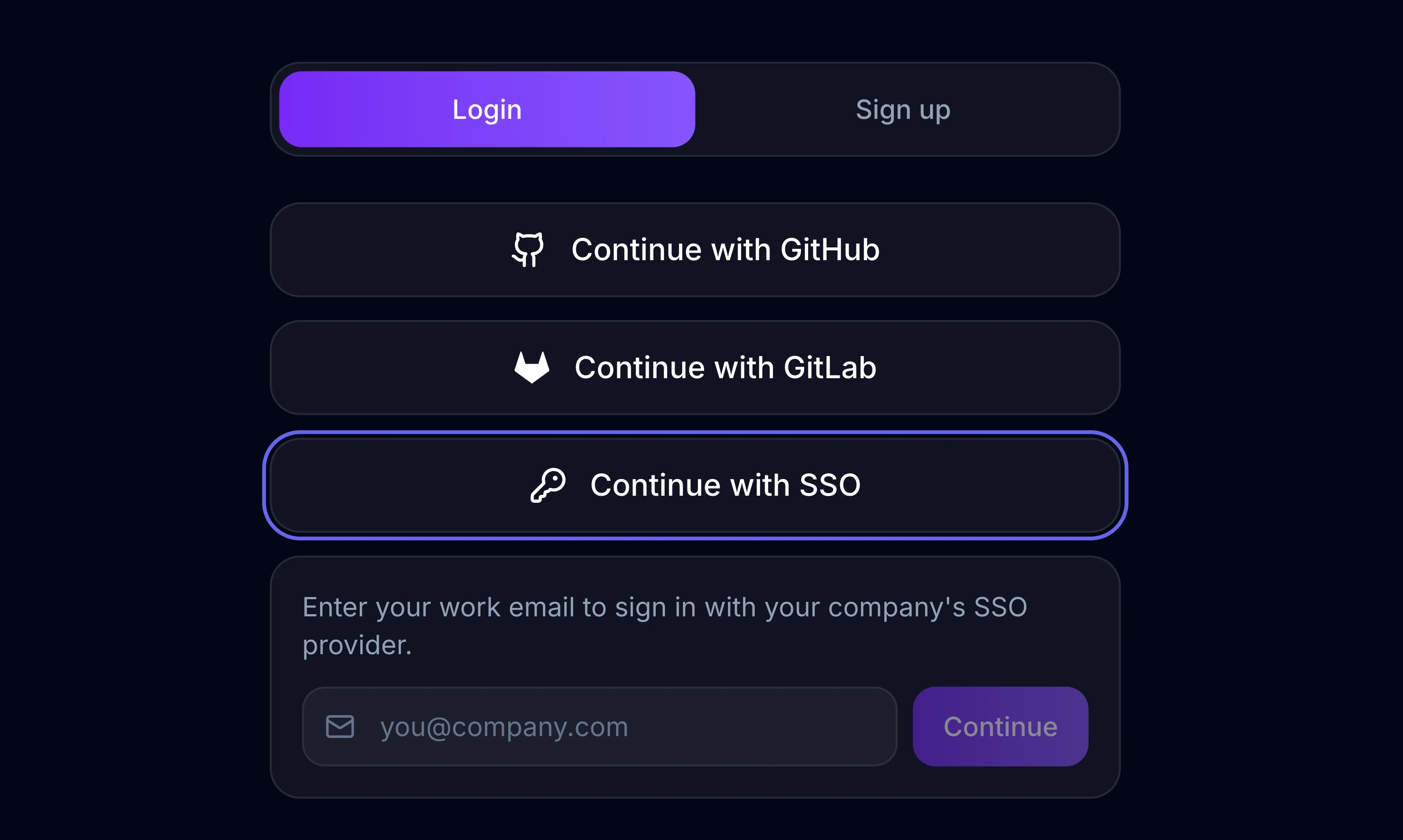
A team member navigates to Archyl's login page and clicks "Continue with SSO." They enter their work email—say, engineer@company.com. Archyl extracts the domain, looks up the SSO configuration registered for company.com, and redirects the user to the company's identity provider.
The user authenticates through whatever flow the IdP requires—username and password, multi-factor authentication, biometric verification, smart card. That's between the user and the IdP; Archyl never sees those credentials.
Once authenticated, the IdP redirects back to Archyl with a signed assertion (SAML) or authorization code (OIDC). We verify the cryptographic signature, extract the user's email, and issue a JWT session token. The user lands on their dashboard, signed in, in a matter of seconds.
The entire flow feels like any other "Sign in with..." experience. No friction, no confusion.
Automatic User Provisioning
When someone from your organization signs in through SSO for the first time, Archyl automatically creates their account. No invitations to send, no signup forms to fill out, no admin manually creating users.
The new user's account is linked to your organization immediately. They're added as a viewer by default—a safe starting point that your organization admins can adjust. They get their own personal workspace alongside the organization membership, so they can explore Archyl independently while also accessing shared team projects.
This means onboarding is as simple as telling your team: "Go to Archyl and sign in with your work email." The SSO connection handles the rest.
Security by Design
We've built the SSO implementation with security as the foundation, not an afterthought.
CSRF protection: Every SSO flow starts with a cryptographically signed state token (HMAC-SHA256) that includes a timestamp, a random nonce, and the email domain. The token expires after ten minutes. When the IdP redirects back, we verify the signature and check the expiry before processing anything. This prevents cross-site request forgery attacks and replay attacks.
SAML assertion validation: For SAML flows, we validate the IdP's XML signature against the X.509 certificate registered for that domain. A tampered assertion is rejected immediately. We support multiple email attribute formats to handle the different ways IdPs structure their assertions.
OIDC token verification: For OIDC flows, we use the authorization code grant—the most secure OAuth2 flow. The authorization code is exchanged server-side for an ID token, which is verified against the provider's published public keys. The user's browser never sees the raw tokens.
No secrets exposed: Client secrets, certificates, and other sensitive configuration are never included in API responses. They're stored securely and used only server-side during the authentication flow.
Domain-Based Configuration
SSO connections are configured per email domain. When you register company.com as a SAML or OIDC domain for your organization, every user with a @company.com email address is routed through your IdP.
One domain, one organization. The unique domain constraint prevents conflicts—no two organizations can claim the same email domain. This keeps the routing unambiguous and secure.
For organizations with multiple email domains (a common situation after acquisitions or for companies with regional domains), each domain can be registered separately, all pointing to the same organization.
What You Need to Set Up
For SAML, you'll provide three things from your IdP:
- The Entity ID (your IdP's identifier)
- The SSO URL (where Archyl sends authentication requests)
- The X.509 certificate (used to verify signed assertions)
For OIDC, you'll provide:
- The Client ID and Client Secret (from your IdP's application registration)
- The Issuer URL (Archyl uses OIDC discovery to automatically configure endpoints)
Your identity provider will need Archyl's callback URLs configured as allowed redirect URIs. The setup is the same as adding any other SAML or OIDC application to your IdP—your identity team has done this dozens of times.
Built for Enterprise
SSO is available exclusively on the Custom plan, alongside unlimited projects, unlimited model objects, dedicated support, and custom integrations. It's designed for organizations where centralized identity management isn't optional—it's policy.
If your organization requires SSO for all SaaS tools, the Custom plan gives you that control. Your security team can enforce authentication through your IdP, ensure MFA compliance through your existing policies, and revoke access instantly when employees leave—all without any action needed on the Archyl side.
What's Next
SSO configuration is currently managed through our admin tooling, with a self-service admin UI coming soon. Organization administrators will be able to register domains, choose protocols, and manage their SSO connections directly from the Archyl dashboard.
We're also looking at SCIM 2.0 for automated user and group provisioning, SSO enforcement (disabling email/password login for an organization), and IdP-driven role mapping. Enterprise identity is a deep space, and we're committed to meeting organizations where they are.
Getting Started
If you're on the Custom plan or interested in upgrading, reach out to our team to configure your SSO connection. We'll walk you through the IdP setup, register your domain, and have your team signing in through SSO the same day.
Your team's identity belongs to your organization. Now their architecture tool respects that.
Learn more about Archyl's enterprise features on our Pricing page, or see how AI-Powered Architecture Discovery can map your existing systems so your team has something to collaborate on from day one.